
Anyone who owns a domain name (even if you don’t send email) should read this quick guide to prevent spammers from using it.
Most domain owners worry about someone breaking into their server and sending spam. That can happen, but there’s another problem that’s both more common and easier to overlook: spammers can send email that claims to come from your domain even when they never touch your server.
Such “spoofing” can ruin the reputation of your domain even if it’s not actually hosted anywhere yet. The good news: the defenses are simple.
Spoofed Email
Email was designed in a more trusting era of the Internet. The “From:” address in a message can be set to almost anything. Without safeguards, a spammer can send a message that appears to come from you@yourdomain.com even if they have absolutely nothing to do with your domain, and it’s trivial to do it.
This matters because:
- Your domain’s reputation can be damaged, and sometimes your own reputation.
- Recipients may believe the spam or scam is legitimate.
- Your domain may be flagged by spam-filtering systems.
- In extreme cases, your domain may be blocked by mail providers.
- You are enabling criminals to abuse others.
Fortunately, modern email authentication systems allow domain owners to say, in effect: “Here are the servers allowed to send email for my domain — and everything else should be rejected.”
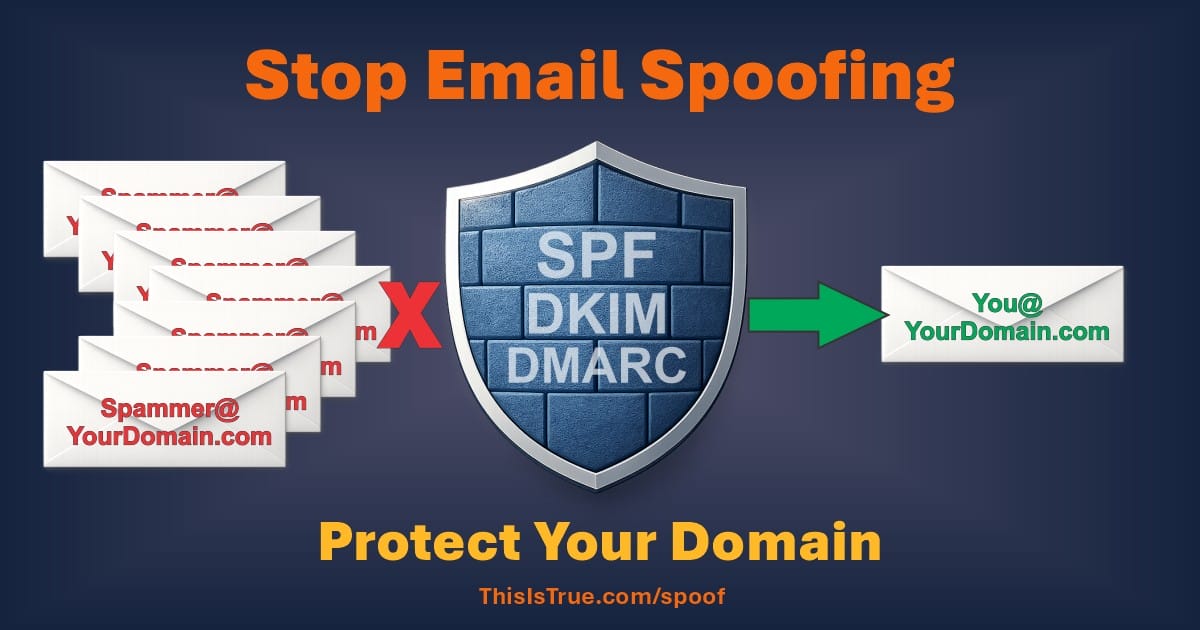
SPF: The First Line of Defense
The Sender Policy Framework (SPF) is the simplest and most important protection. It’s implemented through a TXT record in DNS, which is generally set via the company that you use to register your domain, that tells receiving mail systems which servers are allowed to send mail for your domain.
If Your Domain Sends Email
Your SPF record lists the servers that are authorized. You would set a TXT record that simply reads: v=spf1 a include:mailprovider.com -all
The “a” means whatever servers are mentioned in your “a” records are allowed to send mail from your domain; you can also use “mx” for the mx records you have set. The -all at the end means that you advise receiving servers to reject email claiming to be from this domain if it comes from anywhere else.
What if you send mail through other systems, such as an Email Service Provider like AWeber, Mailchimp, or whatever? You can add them as authorized senders, too: v=spf1 a include:mailprovider.com include:send.aweber.com -all
Check with your ESP or other service to learn exactly what to set as it may not be obvious.
If Your Domain Does NOT Send Email
This is extremely common. Many domains exist only for websites, or are only “parked” if you want to sell it, or only point to other domains.
In that case, you should publish this SPF record: v=spf1 -all
This tells every mail server the world that no server is authorized to send email for this domain. If a spammer tries to spoof it, the message should fail authentication and be treated as spam. This one directive blocks spoofing attempts, helping to thwart spammers.
If you do nothing else, this one setting will help reduce spam for everyone and help protect your reputation.
You can stop here unless your domain does send email, though I’ll tell you how I discovered one of my unused domains was being abused!DKIM: Cryptographic Signing
DomainKeys Identified Mail (DKIM) is a stronger system that cryptographically signs email for those of you who do send email. When a legitimate server sends a message, it adds a digital signature to indicate the message is allowed by your domain. Receiving servers then check DNS to verify that the signature is valid.
In simple terms:
- SPF says who may send mail.
- DKIM proves this message was actually sent by them.
Most modern email providers and web hosts support DKIM automatically. Enabling it usually involves adding a DKIM key record to DNS. You get that key from your server: they must match. For domains that actively send email, DKIM is strongly recommended.
For domains that do not send email at all, DKIM isn’t necessary. The SPF -all record already blocks spoofing attempts.
DMARC: Policy and Reporting
Domain-based Message Authentication, Reporting, and Conformance (DMARC) builds on SPF and DKIM. It allows you to publish a policy telling receivers what to do when authentication fails.
This is also done via a DNS TXT record, like this: v=DMARC1; p=reject; rua=mailto:dmarc@yourdomain.com
Which says that if SPF or DKIM fails, reject the message, and that the receiving server is invited to send a report of that failure to the specified address so the owner is aware of the attempt. The “p” tag is for the policy you are requesting the receiving domain to follow. Options are “none” (monitor only), “quarantine” (put the message into a spam folder), or “reject” (refuse delivery and delete it — it’s not a legitimate message).
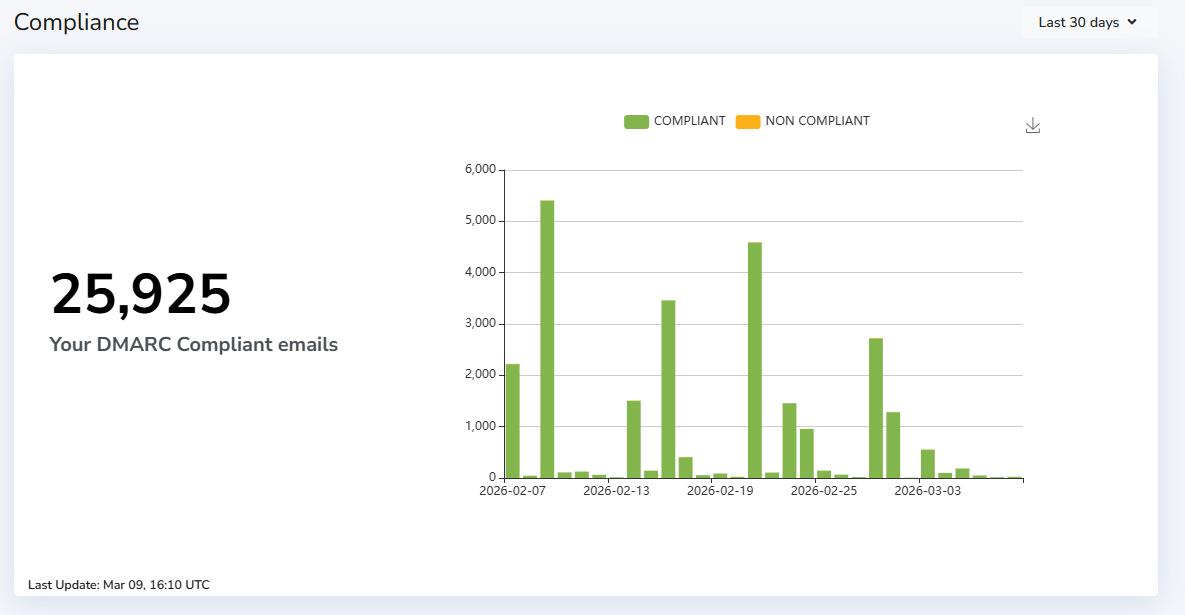
The rua tag specifies the email address that will receive aggregate reports summarizing authentication results from participating mail providers. There is also an ruf option, which specifies where to send forensic failure reports containing details about individual messages that fail DMARC checks. I use both for my important domains, such as thisistrue.com itself.
Best Practice when your server does send email is to start with “none” (monitor for awhile), then switch to “quarantine” (you’re pretty sure messages that fail are not legit), and then “reject” (you want to zealously protect your domain reputation). I have thisistrue.com’s DMARC policy set to reject.
In all cases participating receivers may send aggregate reports summarizing authentication results — and you can “suggest” what percentage trigger such reports. (Gmail is a particularly good citizen in this regard.)
Of course, if your domain sends a lot of email (or is used by spammers), this could result in a flood of reports, so it’s best to use a service to receive these notifications and create a summary report for you which outlines who is sending mail claiming to be from your domain, even if it’s you, and whether authentication is working correctly.
Best Practices
- Use strict SPF policies, such as
v=spf1 -allfor domains that don’t send mail. - Avoid overly permissive records such as:
v=spf1 +all(note the + sign), which effectively authorizes spam. Yes, some people actually do this and it’s a terrible idea! - Avoid multiple SPF records: a domain must have only one. Multiple records cause SPF to fail.
- Keep DNS simple and accurate. Authentication systems rely on DNS. Errors or outdated entries can break legitimate email or weaken protection.
- “Don’t limit your settings to specific subdomains unless you use subdomains in your sending addresses. Spammers sometimes make up subdomains to get around restrictions.
- Monitor your domains’ reputations, occasionally checking tools such as Google Postmaster Tools and MXToolbox.
Another Best Practice: use DMARC reporting even for your domains which don’t send email. I was surprised to discover that someone was using one of my no-email domains to send mail. I wasn’t sure if it was a previous owner (from years ago!) that had something old that was still sending reports on autopilot, or a spammer doing test sends, but it let me know that I had something set wrong because my DMARC reporting provider had suggested the wrong setting for my DMARC record!
I couldn’t believe it: they had suggested “sp=none” in my DMARC record, which means “don’t apply this policy to subdomains”! That meant any spammer could simply add a bit to the From address (e.g., spammer@junk.example.com) to get around the “p=reject” directive. That’s extremely dumb. I learned about it because of the resulting reports: someone had done just that.
The lesson: don’t specify a subdomain (sp=) policy unless you specifically 1) send from subdomains which 2) need a different policy than what’s set by the p= directive. Not specifying any sp= means any subdomain used follows the p= directive. It’s fine to set sp=reject to be sure, but it’s not really necessary.

Protecting Your Domain Is Easy — and Worth Doing
The irony is that domain spoofing can be prevented with a few DNS records that take minutes to set up. Yet many domains still have no protection at all. If you own a domain name — even one that never sends email — publishing basic authentication records helps protect everyone, not just you.
If you own domains but don’t understand any of this, don’t throw up your hands and ignore this or you could well have a nightmare on your hands later. If nothing else, do one or the other of these two things:
- Set a TXT record in DNS that says
v=spf1 -allif you don’t send email from that domain, or - Set a TXT record that says
v=spf1 a mx -allif you do send email from that domain, and then read more articles like this to ensure you understand what this is about.
That’s being a good online citizen, and helps to thwart spammers.
– – –
Related
– – –
Bad link? Broken image? Other problem on this page? Let Me Know, and thanks.
This page is an example of Randy Cassingham’s style of “Thought-Provoking Entertainment”. His This is True is an email newsletter that uses “weird news” as a vehicle to explore the human condition in an entertaining way. If that sounds good, click here to open a subscribe form.
To really support This is True, you’re invited to sign up for a subscription to the much-expanded Premium edition.
Thank you for the breakdown. I’ve read on these topics before, after having my longtime business email bounced by a customer because my setup predated their restrictions against accepting email from domains who did not have these protections in place. However, even after careful reading, I was mildly confused by the various recommendations I saw. It’s time now to go back and compare what I have to your descriptions.
Thanks again for being not only a font of information, but for your grounded perspective: it helps me to be a better person.
—
I appreciate your very kind comments, Ray. -rc
(Re: SPF) “This one directive blocks spoofing attempts”
Truish, and getting truer, but not 100%. Participation by receiving email servers is voluntary, and most, but not all, pay attention to it. (Fortunately the majors do.)
Hadn’t considered the “v=spf1 -all” and, dammit, now I have a bunch of domain DNS records to go update. Spam dammers!
If anyone wants to see how the sausage gets made, I recommend reading Run Your Own Mail Server by Michael Lucas, where he walks you through all the underpinning components and technologies you need to survive and communicate in today’s email & spam hellscape. Excellent value IMHO, and the e-book version is DRM-feee.
Disclaimers: Although I don’t get anything for recommending this book, the author is still my friend :-). I also think the book ought to have been called “Why You *Shouldn’t* Run Your Own Mail Server”, but it’s not my book, so I didn’t get to name it!
—
I chuckled at the tagline for his SNMP (Simple Network Management Protocol) book: “Four lies in one acronym?” -rc
Unfortunately, the link to DMARC Report is a 404. I see they have a free level, but it is not the same as the deal you describe.
Secondly, you once told us who your new “Post Office” is. I like to run my own mail server, but I am about ready to give up. The only reason I bother is because I have not found an affordable provider that allows mailing lists, but I recall that you recommended the one you use. Sadly, I did not save that post where I can find it.
—
I had actually fixed that link when someone else reported it. I know I saved it and it was right. But it apparently got overwritten again. Argh! I’ve confirmed it’s fixed now.
There are quite a few companies that do mailing lists, but it really depends on what you need. If you’re running an actual TRUE-like publishing operation, the one I’ve found that has the best features plus good deliverability is AWeber, which I’ve been using for years (and they’re still coming up with improvements).
The company I moved to late last year to host my domain email at a reasonable cost (and no ads) is Fastmail *. I’m still glad I made the change from gmail. -rc
Great advice, Randy, and thank you for the nudge. I have multiple domains (all under the same web host, Siteground), and I’m still pretty confused as to how to implement the SPF code and where it goes. Obviously I need to get cozy with the googles and figure it out.
—
It’s part of DNS settings. I’d bet Siteground (and every other registrar anyone uses) has a pretty good page on how to set up SPF records on your domains. -rc